
How to Recover a Failed Screen Recording
If your screen recording fails to upload due to a network drop, app interruption, or sudden disconnect, don't worry, your recording data is usually saved locally on your computer.
Depending on whether your recording was created using Streaming Uploads (By default) or Conventional Uploads, follow the appropriate steps below to restore your video.
Method 1: Recovering Streaming Uploads (m4s Segments)
If you were using Jumpshare’s default streaming upload feature, your video is saved locally in chunked .m4s segment files. You can merge these segments into a complete MP4 video using our web based tool.
Steps to recover:
- Open your local temp folder:
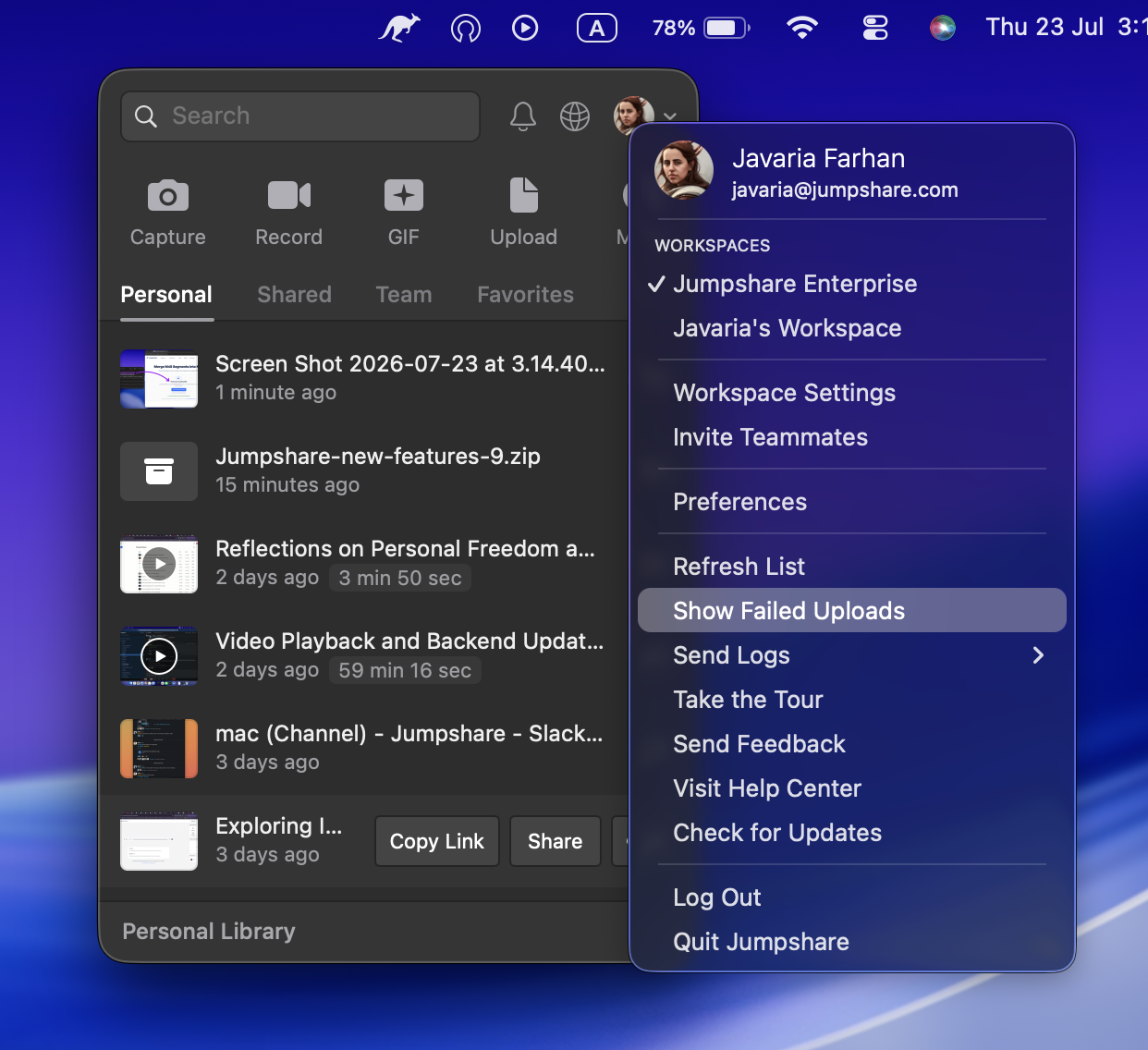
- Click on the Jumpshare kangaroo icon in the menu bar.
- In the Jumpshare window that appears, click your profile picture on the top right corner.
- Select the Show Failed Uploads option.
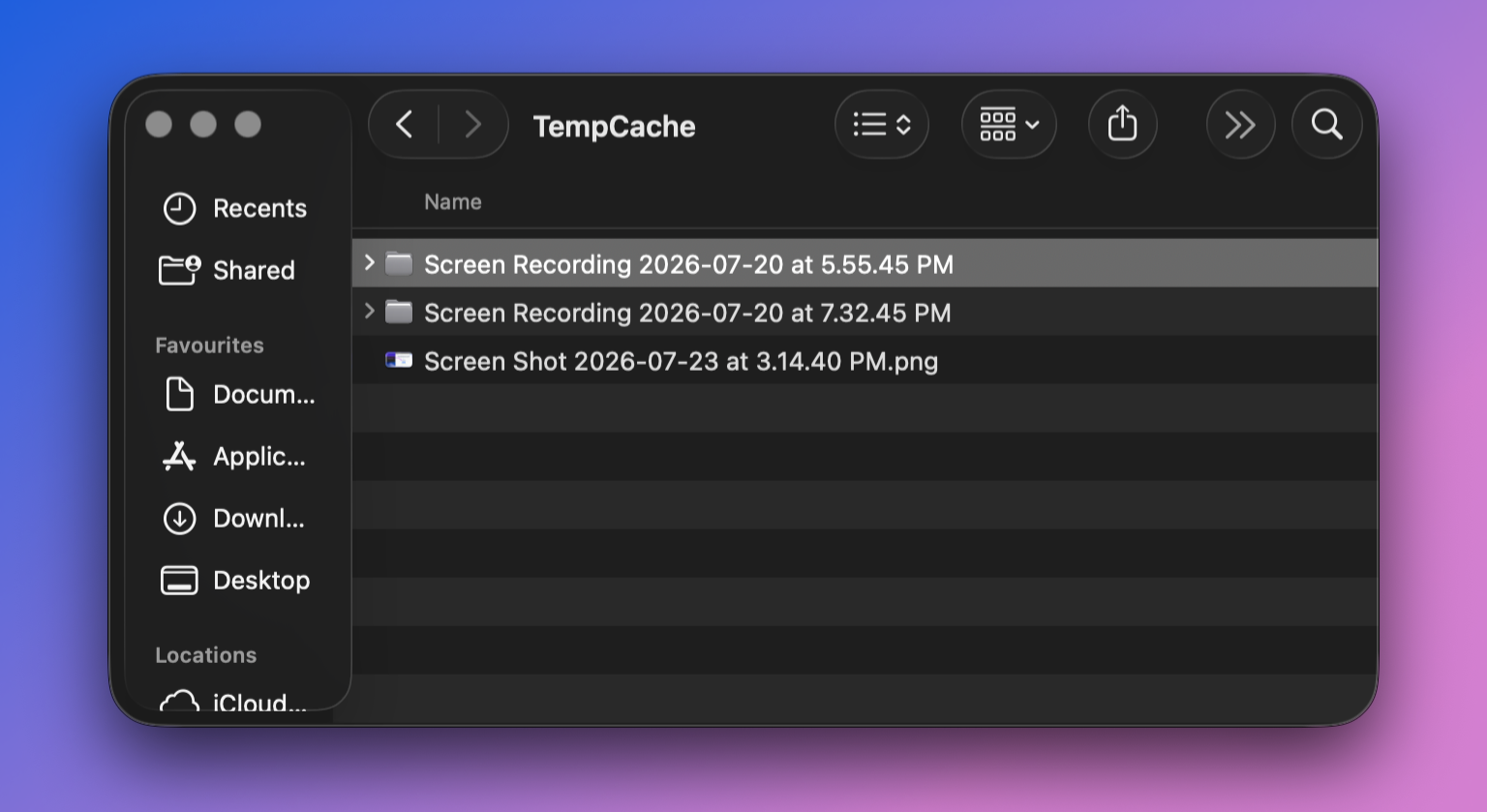
- Find your recording: Look for the temporary video file folder that matches the date and time of your failed recording.
- Drag and drop the folder to m4s to mp4 tool in your browser.
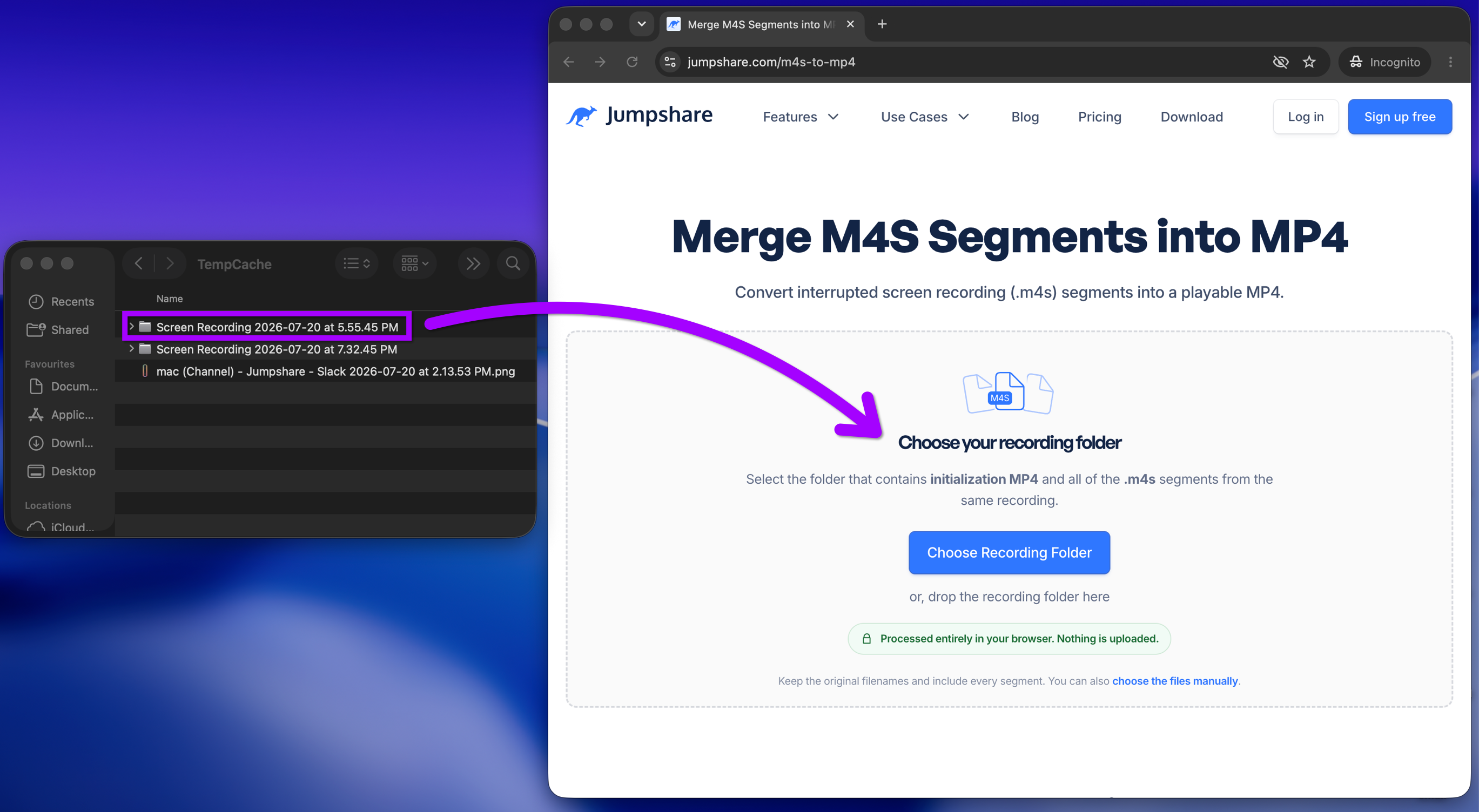
- Click the Merge into MP4 button to combine the files.
- Download the newly created
.mp4video file to your computer.

- Upload the downloaded
.mp4file directly to your Jumpshare workspace.
Method 2: Recovering Conventional Uploads
If your recording was created using standard/conventional uploading, the raw video file is saved temporarily in your computer's local Jumpshare application cache.
Steps to recover:
- Open your local temp folder:
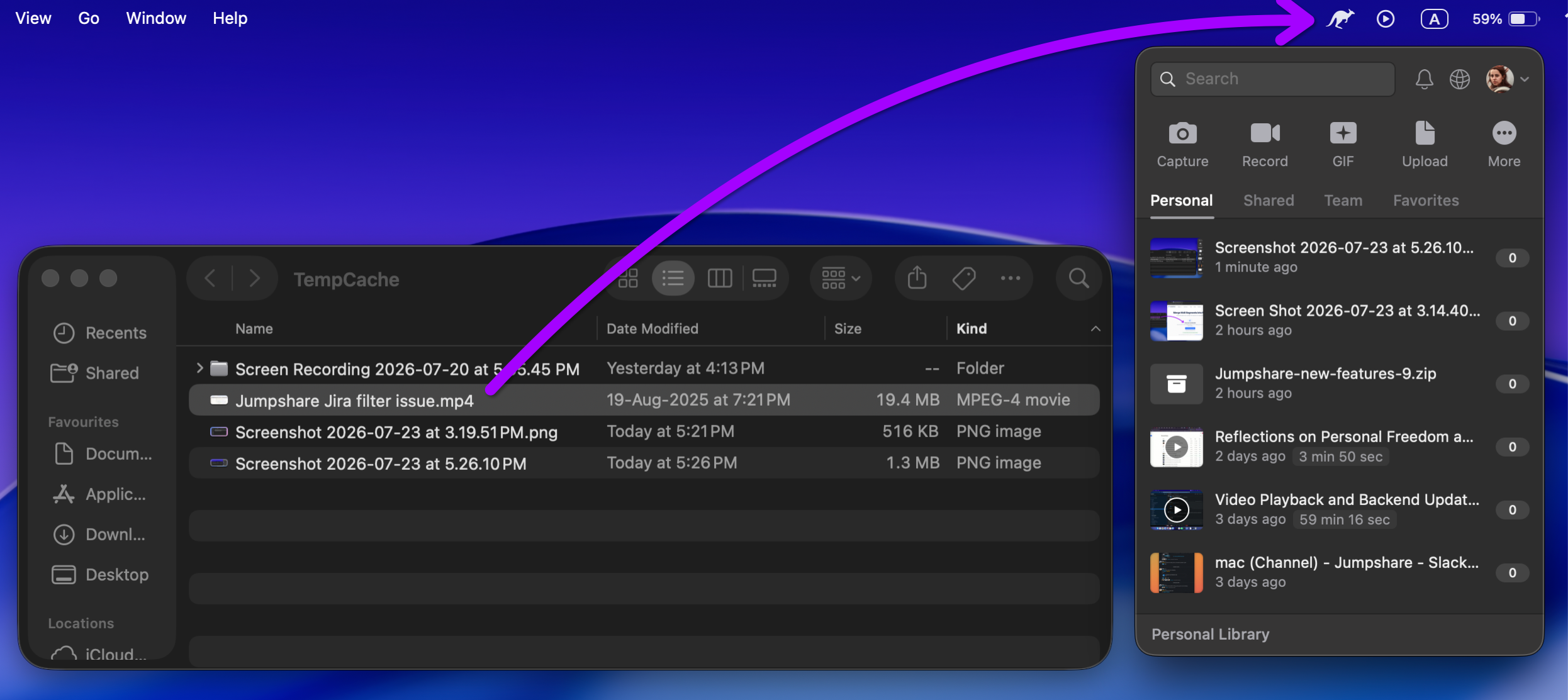
- Click on the Jumpshare kangaroo icon in the menu bar.
- In the Jumpshare window that appears, click your profile picture.
- Select the Show Failed Uploads option.
- Find your recording: Look for the temporary video file that matches the date and time of your failed recording.
- Upload to Jumpshare: Drag and drop the recovered file directly into the Jumpshare desktop app or web app to complete the upload.
If you are still unable to locate your video, please contact us at support@jumpshare.com. We're happy to walk you through anything! 🙂